 |
y-cruncher - A Multi-Threaded Pi-Program |
 |
From a high-school project that went a little too far...By Alexander J. Yee |
(Last updated: December 11, 2025)
Shortcuts:
The first scalable multi-threaded Pi-benchmark for multi-core systems...
How fast can your computer compute Pi?
y-cruncher is a program that can compute Pi and other constants to trillions of digits.
It is the first of its kind that is multi-threaded and scalable to multi-core systems. Ever since its launch in 2009, it has become a common benchmarking and stress-testing application for overclockers and hardware enthusiasts.
y-cruncher has been used to set several world records for the most digits of Pi ever computed.
- 314 trillion digits - November 2025 (Kevin OBrien, Divyansh Jain, Brian Beeler - StorageReview)
- 300 trillion digits - April 2025 (Jake Tivy - Linus Media Group)
- 202 trillion digits - May 2024 (Jordan Ranous, Kevin O’Brien, and Brian Beeler - StorageReview)
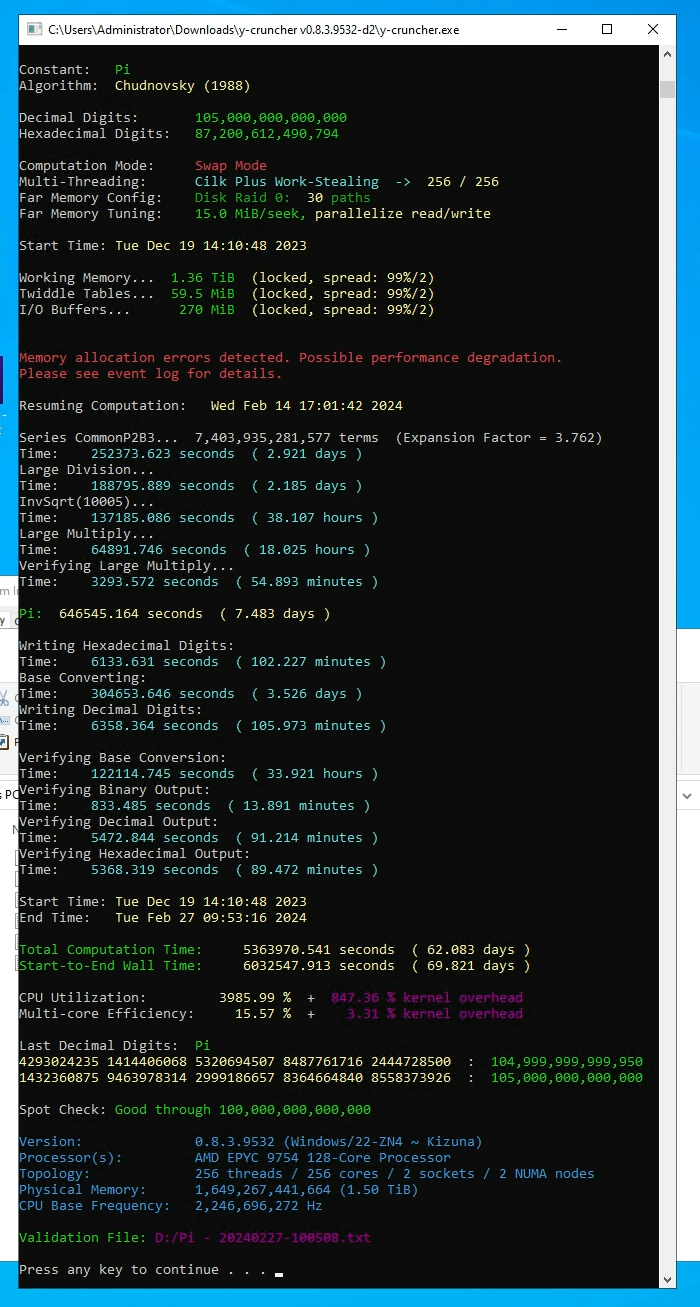
- 105 trillion digits - February 2024 (Jordan Ranous, Kevin O’Brien, and Brian Beeler - StorageReview)
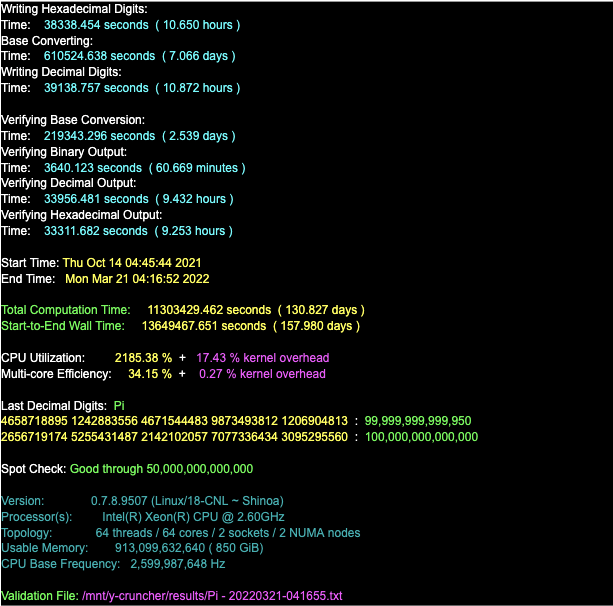
- 100 trillion digits - June 2022 (Emma Haruka Iwao)
- 62.8 trillion digits - August 2021 (UAS Grisons)
- 50 trillion digits - January 2020 (Timothy Mullican)
- 31.4 trillion digits - January 2019 (Emma Haruka Iwao)
- 22.4 trillion digits - November 2016 (Peter Trueb)
- 13.3 trillion digits - October 2014 (Sandon Van Ness "houkouonchi")
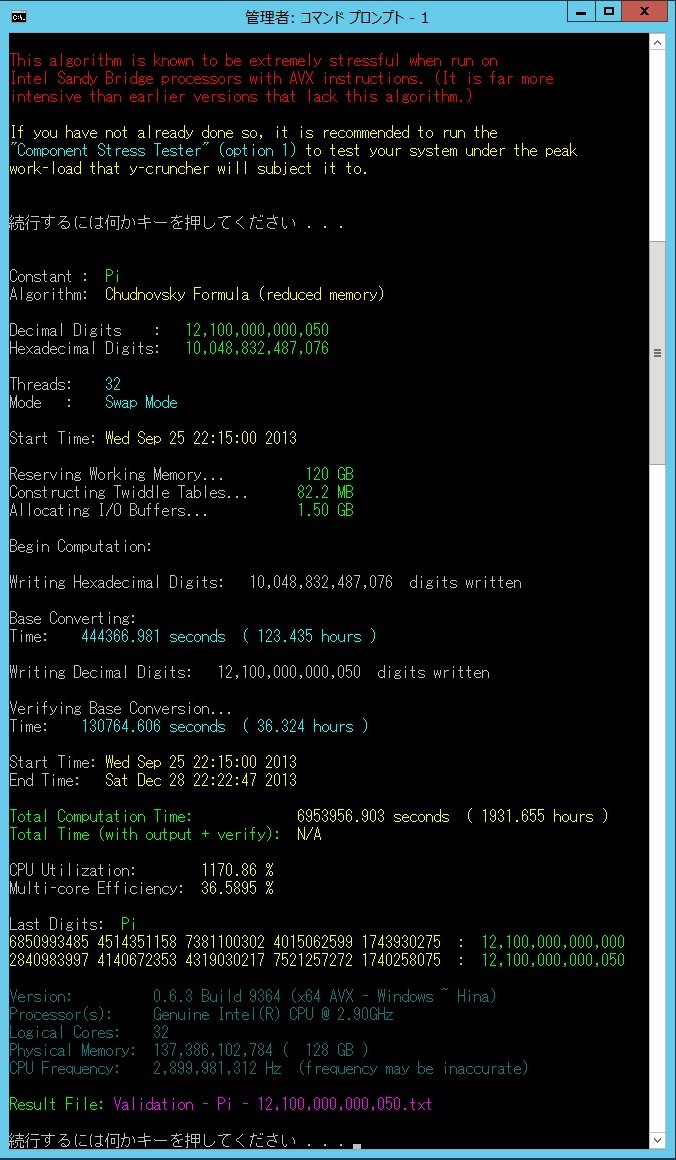
- 12.1 trillion digits - December 2013 (Shigeru Kondo)
- 10 trillion digits - October 2011 (Shigeru Kondo)
- 5 trillion digits - August 2010 (Shigeru Kondo)
Current Release:
Windows: Version 0.8.7 Build 9547 (Released: November 23, 2025)
Linux : Version 0.8.7 Build 9547 (Released: November 23, 2025)
Official Mersenneforum Subforum.
Pi Record set to 314 Trilion digits: (November 23, 2025) - permalink
|
|
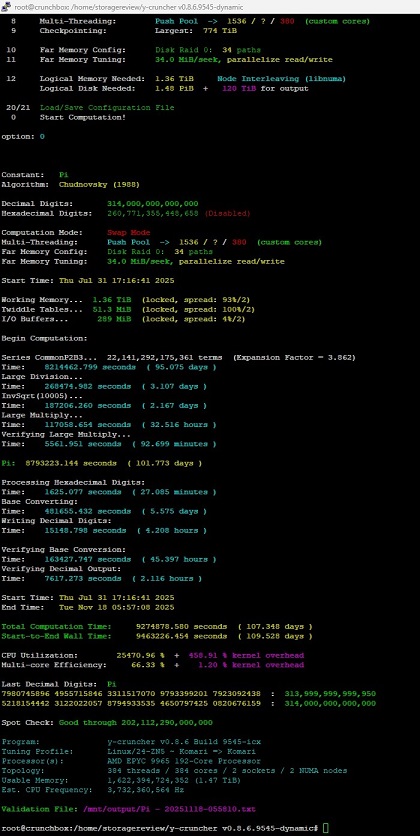
Pi records haven't been standing for very long in recent years and this time is no different. Storage Review has taken the crown back from Linus Media Group with their latest computation of 314 trillion digits of Pi!
While 314 trillion digits isn't much more than the previous record of 300 trillion, the real accomplishment is in how it was achieved.
The computation took only 110 days on a 384-core AMD Epyc server - which is faster than all previous computations. More impressively, it was done in a single contiguous run without any interruptions which is a first in recent history.
Full details of the computation can be found here.
Why is a contiguous run significant?
Ever since Pi computations moved from supercomputers to commodity hardware, the run times for Pi records have shot up from days to months. Because it is difficult to keep a computer running for so long without any interruptions (power outages, hardware failures, etc...), it became up to the software to compensate for hardware/environment unreliability with checkpoint-restart.
Thus modern records all relied heavily on checkpointing to reach the sizes necessary to set a record. In fact, the combination of error-detection and checkpointing has allowed several world record attempts to survive even software error (bugs) in y-cruncher itself!
In short, checkpointing has come a long way... Early implementations of y-cruncher's checkpoint restart (circa 2010) were quite limited and only extended the MTTF (mean time to failure) tolerance by about 10x or so. While it made Pi records on commodity hardware possible, it remained the bottleneck. As the years went by, this problem was not ignored. Thus modern versions of y-cruncher have the fault-tolerance and checkpointing capability that is robust enough to perform computations lasting years. And while no recent computations have actually taken more than a year, quite a few have crossed the 6 month mark, either as planned or due to unforeseen circumstances.
While things have been trending towards this in recent years thanks to solid state storage making computations much faster, this latest compuation from Storage Review has finally shown that it is still possible set a Pi record without needing the checkpoint-restart.
Would I recommend performing a Pi record without checkpointing? Absolutely not. This was actually Storage Review's 3rd attempt at a contiguous run. And while the computations from all 3 attempts finished correctly with a new Pi record, the first two attempts were hit by various hardware and software issues.
Where does Pi race go from here? In my opinion, the sky is the limit.
If you can set a record without using the very feature designed specifically to make it possible, then what will happen when it too is pushed to the limit? We may be at the point where limit of a Pi computation is the point where the result can be achieved faster by waiting for future (faster) hardware that will make up for the time spent waiting for it. In the modern era, I (crudely) estimate that such a crossover point sits at around 2-3 years with the critical component being Moore's Law for storage systems.
Version 0.8.7: (November 23, 2025) - permalink
As some of you may know, development on y-cruncher has been on hiatus as my interests have shifted to other projects. Nevertheless, y-cruncher will continue to be maintained as I do intend to pick it back up in the future.
Basic ISA optimizations and tuning profiles for new processors are relatively low effort and will continue provided that I can get the hardware. It's mostly the big algorithm redesigns and rewrites that are on hold until I come back to this project.
Oh and those launch-day architecture review blogs? Those have been very well received so far. So I'll keep doing them provided that I keep receiving sample hardware.
y-cruncher has been used to set a number of world record sized computations.
Blue: Current World Record
Green: Former World Record
Red: Unverified computation. Does not qualify as a world record until verified using an alternate formula.
| Date Announced | Date Completed: | Source: | Who: | Constant: | Decimal Digits: | Time: | Computer: |
| December 11, 2025 | November 19, 2025 | Source | Kevin O’Brien Divyansh Jain Brian Beeler (Storage Review) |
Pi | 314,000,000,000,000 | 2 x AMD Epyc 9965 1.5 TB |
|
| November 15, 2025 | October 23, 2025 | Dmitriy Grigoryev | Zeta(5) | 600,000,000,000 | Intel Xeon W7-3465X 2 TB |
||
| November 15, 2025 | October 5, 2025 | Dmitriy Grigoryev | Gamma(1/5) | 270,000,000,000 | Compute: 41.8 hours | Intel Xeon W7-3465X 2 TB |
|
| November 15, 2025 | October 2, 2025 | Mamdouh Barakat | Log(2) | 3,100,000,000,000 | Compute: 167 hours | AMD Ryzen TR 5965WX 512 TB |
|
| August 9, 2025 | August 6, 2025 | Mamdouh Barakat | Gamma(1/3) | 1,300,000,000,000 | Compute: 115 hours | AMD Ryzen TR 5965WX 512 TB |
|
| June 20, 2025 | June 13, 2025 | Dmitriy Grigoryev | Gamma(1/4) | 1,200,000,000,000 | Intel Xeon W9-3595X |
||
| June 20, 2025 | June 8, 2025 | Teck Por Lim | Square Root of 2 | 28,000,000,000,000 | Xeon Gold 6230 768 GB |
||
| June 20, 2025 | June 6, 2025 | Lorenz Milla | Log(10) | 2,000,000,000,100 | Compute: 5.70 days | AMD Ryzen 9 7950X 128 GB |
|
| May 18, 2025 | May 16, 2025 | Lorenz Milla | Lemniscate | 2,000,000,000,000 | AMD Ryzen 7950X 64 GB |
||
| May 16, 2025 | April 2, 2025 | Source | Jake Tivy (Linus Media Group) |
Pi | 300,000,000,000,000 | 2 x AMD Epyc 9684X 3 TB 2 PB storage |
|
| June 28, 2024 | May 20, 2024 | Source | Jordan Ranous Kevin O’Brien Brian Beeler (StorageReview) |
Pi | 202,112,290,000,000 | 2 x Intel Xeon Platinum 8592+ |
|
| March 14, 2024 | February 27, 2024 | Source | Jordan Ranous Kevin O’Brien Brian Beeler (StorageReview) |
Pi | 105,000,000,000,000 | 2 x AMD Epyc 9754 |
|
| December 26, 2023 | December 24, 2023 | Jordan Ranous | e | 35,000,000,000,000 | 2 x Intel Xeon Platinum 8460H |
||
| December 26, 2023 | December 22, 2023 | Andrew Sun |
Zeta(3) - Apery's Constant | 2,020,569,031,595 | Compute: 5.61 days | Intel Xeon Platinum 8347C 505 GB Intel Xeon Platinum 8347C 507 GB |
|
| December 2, 2023 | November 27, 2023 | Jordan Ranous | Golden Ratio | 20,000,000,000,000 | AMD Epyc 9654 - 1.5 TB Intel Xeon Platinum 8450H |
||
| September 9, 2023 | September 7, 2023 | Andrew Sun |
Euler-Mascheroni Constant | 1,337,000,000,000 | Intel Xeon Platinum 83470C 400 GB |
||
| June 8, 2022 | March 21, 2022 | Emma Haruka Iwao | Pi | 100,000,000,000,000 | 128 vCPU Intel Ice Lake (GCP) |
||
| March 14, 2022 | March 9, 2022 | Seungmin Kim | Catalan's Constant | 1,200,000,000,100 | Compute: 48.6 days | 2 x Intel Xeon Gold 6140 |
|
| August 17, 2021 | August 14, 2021 | Source | UAS Grisons | Pi | 62,831,853,071,796 | Compute: 108 days Verify: 34.4 hours |
AMD Epyc 7542 1 TB 34 + 4 Hard Drives |
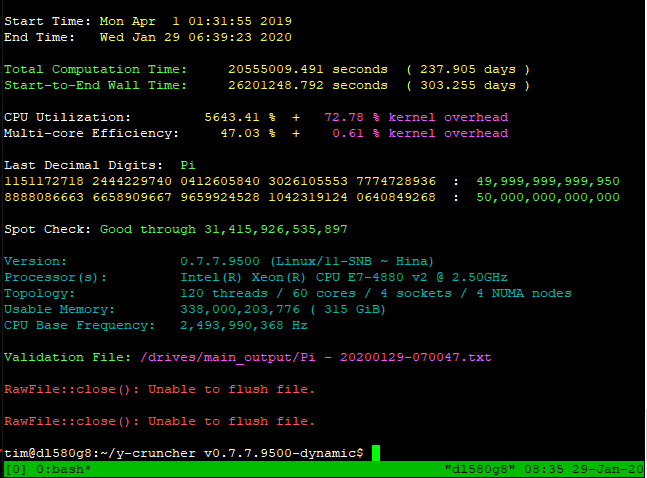
| January 29, 2020 | January 29, 2020 | Blog | Timothy Mullican | Pi | 50,000,000,000,000 | 4 x Intel Xeon E7-4880 v2 315 GB 48 Hard Drives |
|
| March 14, 2019 | January 21, 2019 | Blogs |
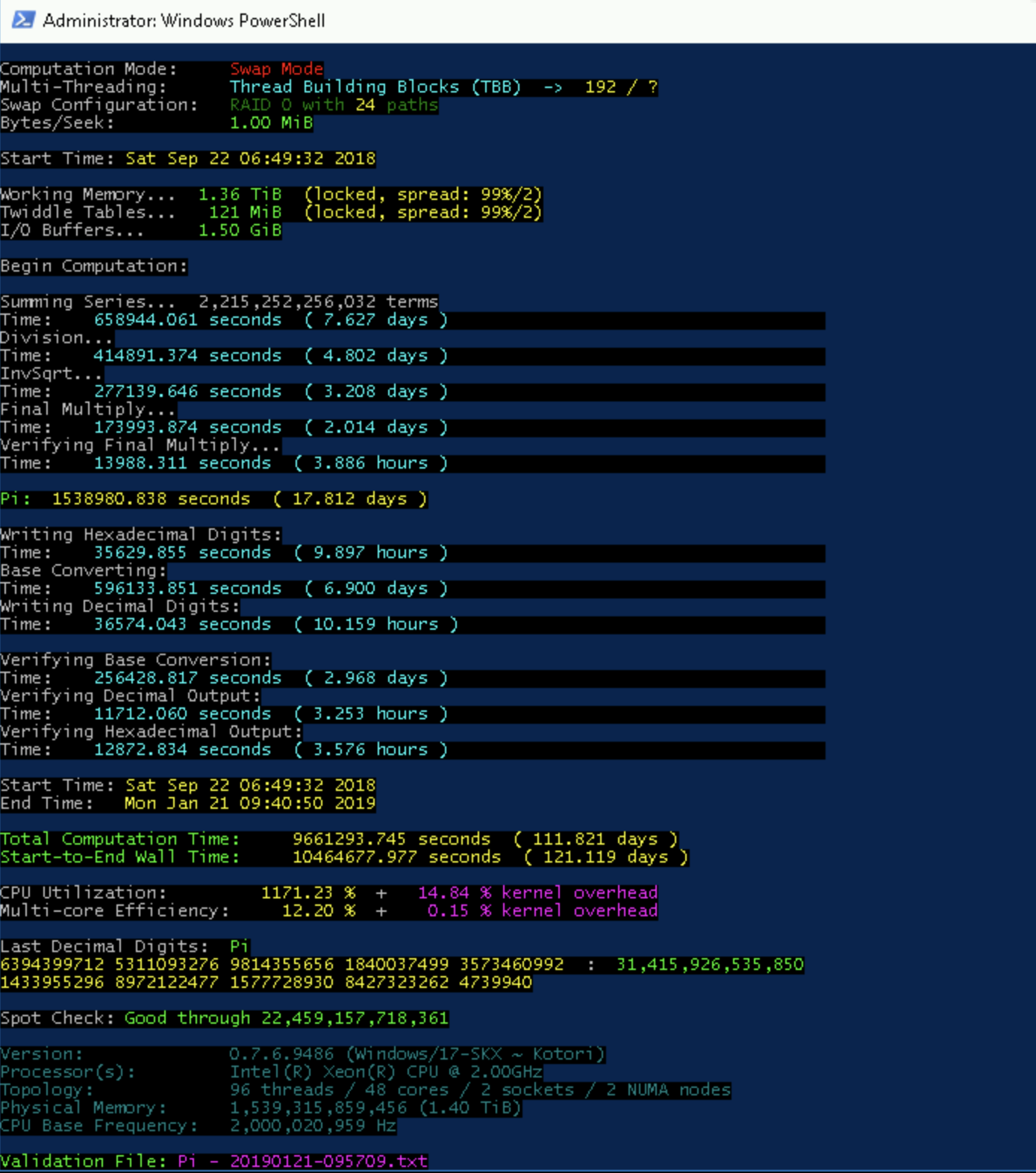
Emma Haruka Iwao | Pi | 31,415,926,535,897 | Compute: 121 days | 2 x Undisclosed Intel Xeon > 1.40 TB DDR4 > 240 TB SSD |
| November 15, 2016 | November 11, 2016 | Blog Sponsor |
Peter Trueb | Pi | 22,459,157,718,361 | Compute: 105 days | 4 x Xeon E7-8890 v3 1.25 TB DDR4 20 x 6 TB 7200 RPM Seagate |
| October 8, 2014 | October 7, 2014 | Sandon Van Ness (houkouonchi) |
Pi | 13,300,000,000,000 | 2 x Xeon E5-4650L 192 GB DDR3 @ 1333 MHz 24 x 4 TB + 30 x 3 TB |
||
| December 28, 2013 | December 28, 2013 | Source | Shigeru Kondo | Pi | 12,100,000,000,050 | 2 x Xeon E5-2690 128 GB DDR3 @ 1600 MHz 24 x 3 TB |
See the complete list including other notably large computations. If you want to set a record yourself, the rules are in that link.
The main computational features of y-cruncher are:
- Able to compute Pi and other constants to trillions of digits.
- Two algorithms are available for most constants. One for computation and one for verification.
- Multi-Threaded - Multi-threading can be used to fully utilize modern multi-core processors without significantly increasing memory usage.
- Vectorized - Able to fully utilize the SIMD capabilities for most processors. (SSE, AVX, AVX512, etc...)
- Swap Space management for large computations that require more memory than there is available.
- Multi-Hard Drive - Multiple hard drives can be used for faster disk swapping.
- Semi-Fault Tolerant - Able to detect and correct for minor errors that may be caused by hardware instability or software bugs.
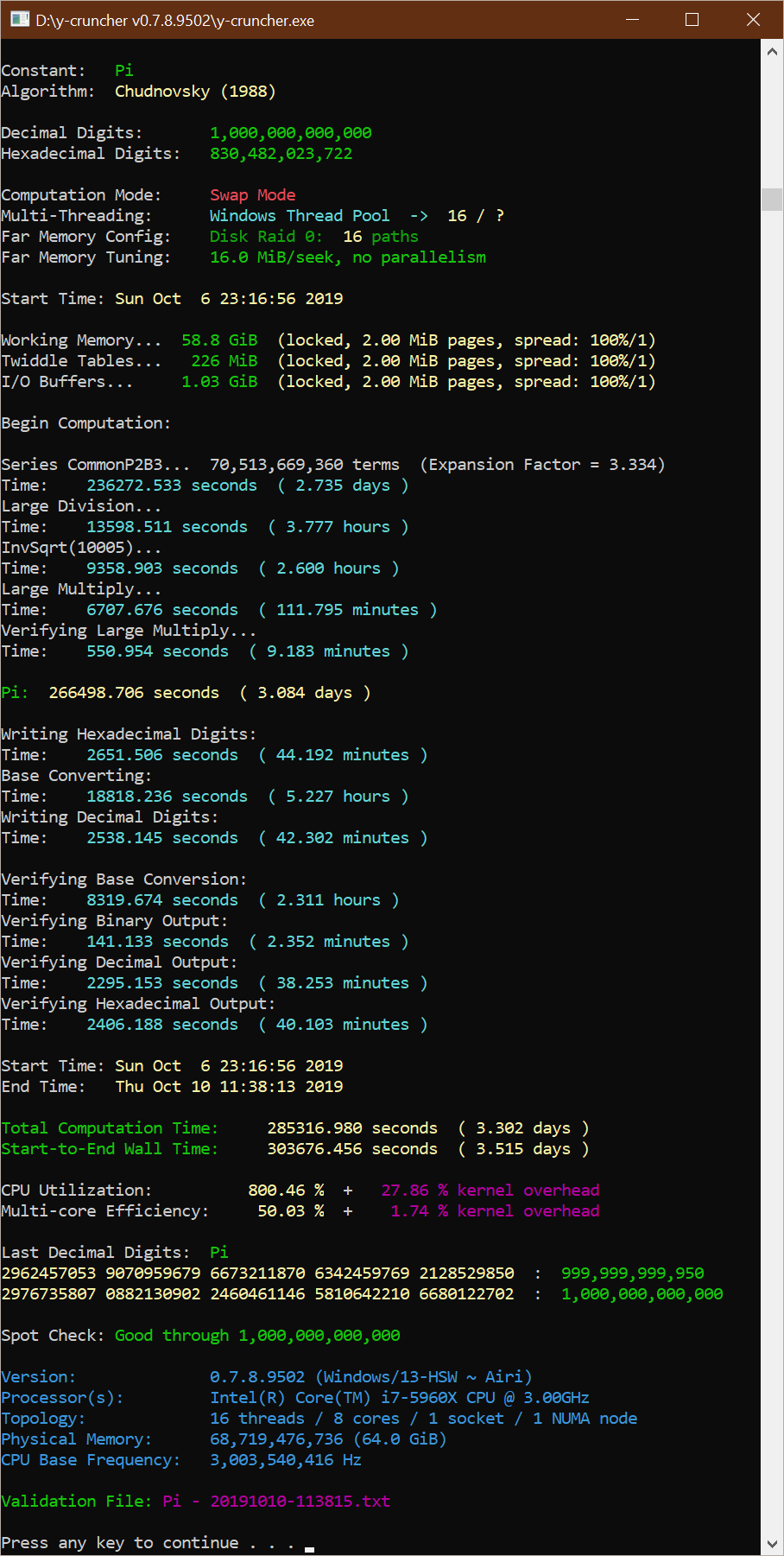
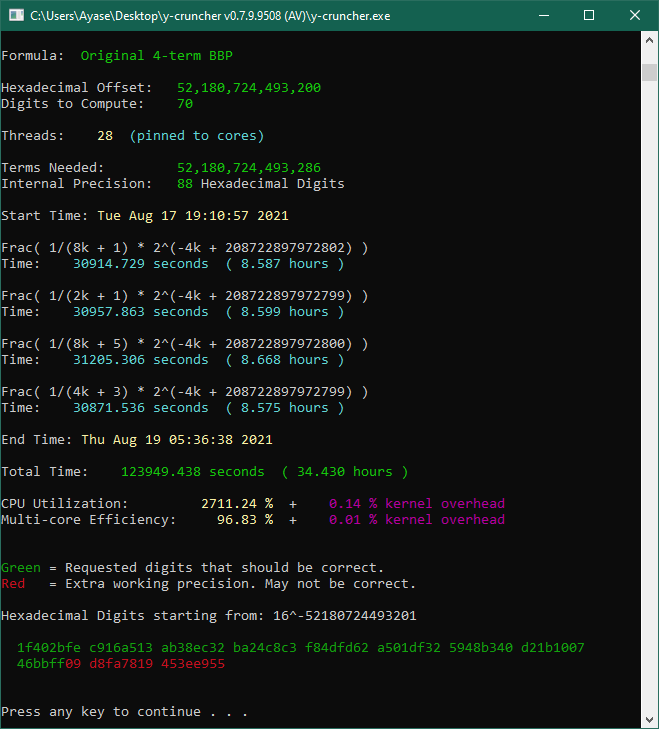
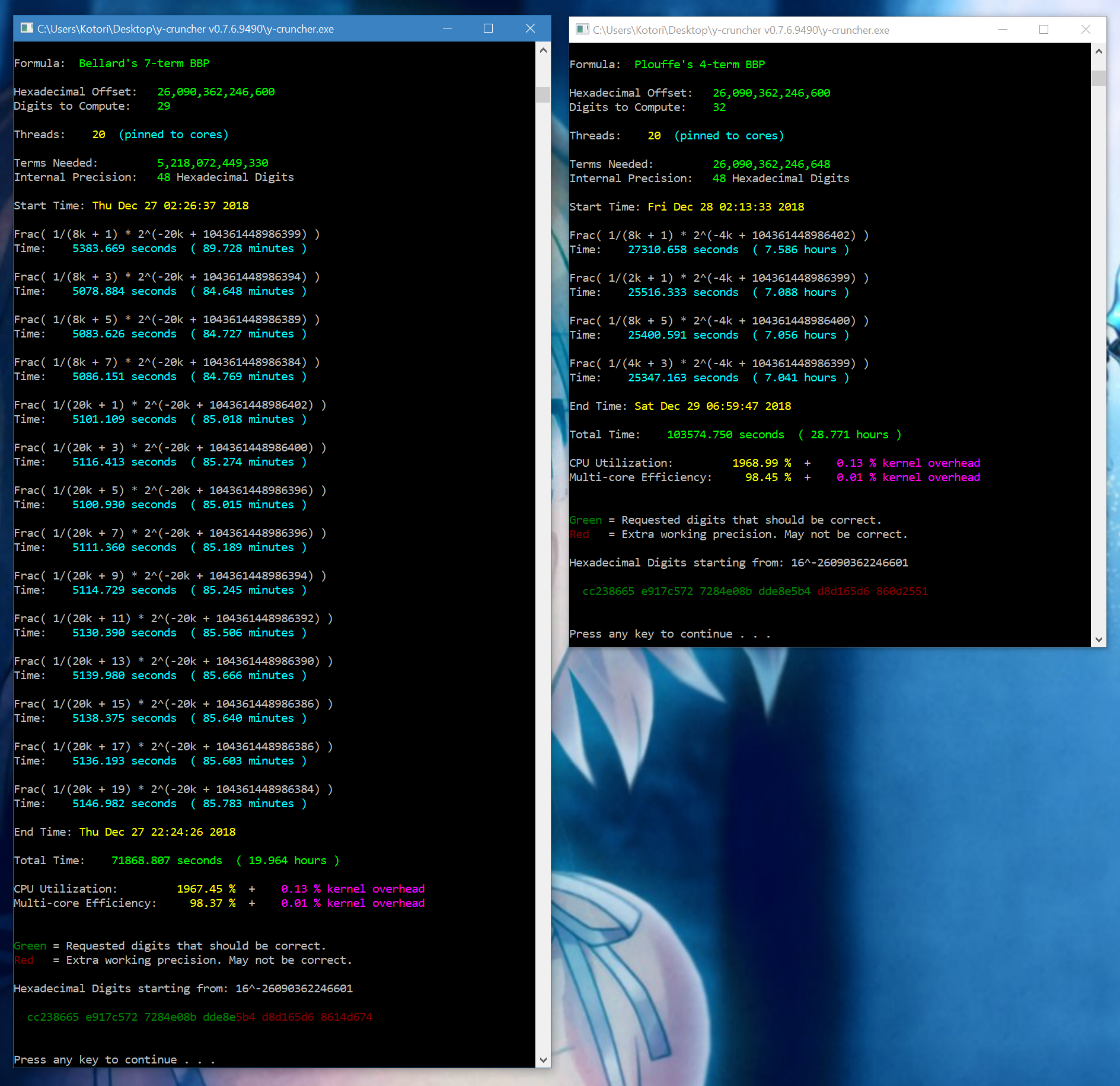
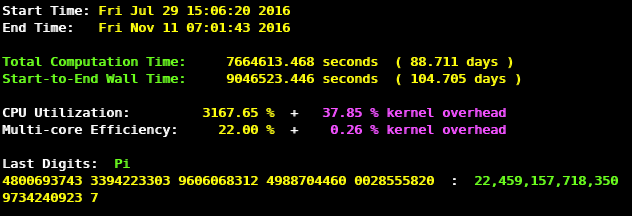
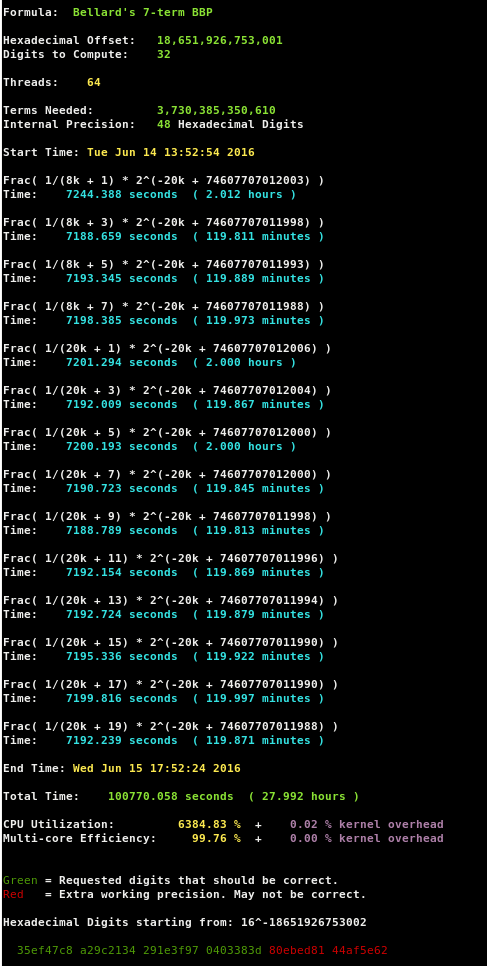
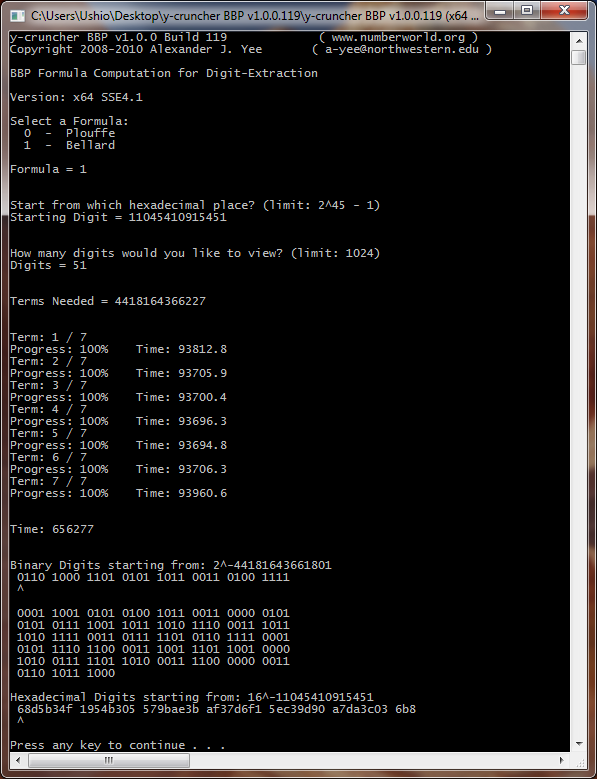
Sample Screenshot: 1 trillion digits of Pi
|
| Core i7 5960X @ 4.0 GHz - 64 DDR4 @ 2400 MHz - 16 HDs |




Latest Releases: (November 23, 2025)
Downloading any of these files constitutes as acceptance of the license agreement.
Because of virus scanner false positives, the Windows binary has been updated to no longer use static-linking. You may need to download the MSVC redistributable package.
OS Download Link Size Windows
45.0 MB Linux (Static)
34.2 MB Linux (Dynamic)
27.4 MB
Downloads can also be found on GitHub. Use this if you prefer HTTPS.
The Linux version comes in both statically and dynamically linked versions. The static version should work on most Linux distributions, but lacks TBB and NUMA binding. The dynamic version supports all features, but is less portable due to the DLL dependency hell.
System Requirements:
Windows:
- Windows 8 or later.
Linux:
- 64-bit Linux is required. There is no support for 32-bit.
- The dynamic version has been tested on Ubuntu 24.04.
All Systems:
- An x86 or x64 processor.
Very old systems that don't meet these requirements may be able to run older versions of y-cruncher. Support goes all the way back to even before Windows XP.
Version History:
Other Downloads (for C++ programmers):
Advanced Documentation:
Comparison Chart: (Last updated: July 8, 2024)
Computations of Pi to various sizes. All times in seconds. All computations done entirely in ram.
The timings include the time needed to convert the digits to decimal representation, but not the time needed to write out the digits to disk.
Blue: Benchmarks are up-to-date with the latest version of y-cruncher.
Green: Benchmarks were done with an old version of y-cruncher that is comparable in performance with the current release.
Red: Benchmarks are significantly out-of-date due to being run with an old version of y-cruncher that is no longer comparable with the current release.
Purple: Benchmarks are from unreleased internal builds that are not speed comparable with the current release.
Laptops + Low-Power:
| Processor(s): | Core i3 8121U | Core i7 11800H | Ryzen 9 7940HS | Ryzen 9 9955HX | Ryzen AI Max+ 395 | |
| Generation: | Intel Cannon Lake | Intel Tiger Lake | AMD Zen 4 | AMD Zen 5 | AMD Zen 5 | |
| Cores/Threads: | 2/4 | 8/16 | 8/16 | 16/32 | 16/32 | |
| Processor Speed: | ~2.5 - 3.2 GHz (stock) | ~2.5 - 2.8 GHz (60W PL) | ~4.1 - 4.8 GHz (50W PL) | ~4.0 - 4.5 GHz (~85W PL) | ~4.5 GHz (120W PL) | |
| Memory: | 8 GB @ 2400 MT/s | 64 GB @ 3200 MT/s | 96 GB @ 5600 MT/s | 96 GB @ 5600 MT/s | 128 GB @ 8000 MT/s | |
| Program Version: | v0.8.5 (18-CNL) | v0.8.5 (18-CNL) | v0.8.5 (22-ZN4) | v0.8.7 (24-ZN5) | v0.8.7 (24-ZN5) | v0.8.7-4 (24-ZN5) |
| Instruction Set: | x64 AVX512-VBMI | x64 AVX512-VBMI | x64 AVX512-GFNI | x64 AVX512-GFNI | x64 AVX512-GFNI | |
| 25,000,000 | 1.951 | 0.490 | 0.410 | 0.220 | 0.167 | 0.168 |
| 50,000,000 | 4.279 | 1.083 | 0.910 | 0.503 | 0.355 | 0.355 |
| 100,000,000 | 9.272 | 2.372 | 2.041 | 1.219 | 0.761 | 0.757 |
| 250,000,000 | 26.129 | 6.585 | 5.662 | 3.579 | 2.137 | 2.101 |
| 500,000,000 | 62.364 | 14.750 | 12.486 | 8.037 | 4.690 | 4.563 |
| 1,000,000,000 | 142.219 | 32.271 | 27.654 | 17.172 | 10.277 | 10.006 |
| 2,500,000,000 | 92.021 | 79.921 | 48.058 | 29.480 | 28.241 | |
| 5,000,000,000 | 203.953 | 199.153 | 106.659 | 64.340 | 61.539 | |
| 10,000,000,000 | 446.934 | 501.327 | 236.602 | 139.111 | 133.386 | |
| 25,000,000,000 | 385.750 | 373.245 | ||||
| Credit: | ||||||
| Processor(s): | Core i7 6820HK | Core i7 11800H | Core i7 11800H |
| Generation: | Intel Skylake | Intel Tiger Lake | Intel Tiger Lake |
| Cores/Threads: | 4/8 | 8/16 | 8/16 |
| Processor Speed: | 3.2 GHz (stock) | ~2.5 GHz (45W PL) | ~3.0 GHz (60W PL) |
| Memory: | 64 GB @ 2133 MT/s | 64 GB @ 3200 MT/s | 64 GB @ 3200 MT/s |
| Version: | v0.8.1 (14-BDW) | v0.8.1 (18-CNL) | v0.8.1 (18-CNL) |
| Instruction Set: | x64 AVX2 + ADX | x64 AVX512-VBMI | x64 AVX512-VBMI |
| 25,000,000 | 1.500 | 0.655 | 0.530 |
| 50,000,000 | 3.307 | 1.406 | 1.125 |
| 100,000,000 | 7.238 | 3.005 | 2.447 |
| 250,000,000 | 20.596 | 8.576 | 6.855 |
| 500,000,000 | 45.967 | 19.747 | 15.356 |
| 1,000,000,000 | 102.885 | 42.727 | 34.308 |
| 2,500,000,000 | 290.824 | 123.523 | 96.918 |
| 5,000,000,000 | 640.506 | 247.705 | 218.782 |
| 10,000,000,000 | 1,391.204 | 526.212 | 480.197 |
| Credit: |
Mainstream Desktops:
| Processor(s): | Ryzen 7 1800X | Ryzen 9 3950X | Ryzen 9 7950X | Ryzen 9700X | Ryzen 9 9950X | Ultra 9 265K | Ultra 9 285K |
| Generation: | AMD Zen 1 | AMD Zen 2 | AMD Zen 4 | AMD Zen 5 | AMD Zen 5 | Intel Arrow lake | Intel Arrow lake |
| Cores/Threads: | 8/16 | 16/32 | 16/32 | 8/16 | 16/32 | 20/20 | 24/24 |
| Processor Speed: | stock | stock | stock | PBO | 5.5/4.9 GHz P/E-core | 5.5/4.9 GHz P/E-core | |
| Memory: | 64 GB - 2866 MT/s | 32 GB - 3200 MT/s | 128 GB - 5200 MT/s | 64 GB - ??? | 48 GB - 6000 MT/s | 48 GB - 8600 MT/s | 32 GB - 8600 MT/s |
| Program Version: | v0.8.5 (17-ZN1) | v0.8.5 (17-ZN2) | v0.8.5 (22-ZN4) | v0.8.5 (24-ZN5) | v0.8.5 (24-ZN5) | v0.8.5 (14-BDW) | v0.8.5 (14-BDW) |
| Instruction Set: | x64 AVX2 + ADX | x64 AVX2 + ADX | x64 AVX512-GFNI | x64 AVX512-GFNI | x64 AVX512-GFNI | x64 AVX2 + ADX | x64 AVX2 + ADX |
| 25,000,000 | 1.092 | 0.527 | 0.287 | 0.236 | 0.207 | 0.241 | 0.206 |
| 50,000,000 | 2.393 | 1.112 | 0.615 | 0.561 | 0.474 | 0.490 | 0.446 |
| 100,000,000 | 5.337 | 2.387 | 1.365 | 1.326 | 1.107 | 1.083 | 0.946 |
| 250,000,000 | 15.340 | 6.302 | 3.813 | 3.971 | 3.209 | 3.010 | 2.718 |
| 500,000,000 | 34.074 | 13.519 | 7.985 | 8.952 | 6.829 | 6.736 | 5.944 |
| 1,000,000,000 | 76.415 | 29.470 | 16.841 | 20.143 | 14.670 | 14.988 | 13.345 |
| 2,500,000,000 | 218.467 | 84.116 | 45.703 | 56.129 | 40.091 | 42.523 | 38.129 |
| 5,000,000,000 | 495.367 | 187.272 | 100.214 | 123.952 | 89.030 | 93.805 | 84.239 |
| 10,000,000,000 | 1,112.598 | 412.102 | 218.732 | 270.440 | 197.779 | ||
| 25,000,000,000 | 615.070 | ||||||
| Credit: | Marc Beste | muziqaz | 曾 铮 | 曾 铮 |
| Processor(s): | Ryzen 5 7600 | Core i9 11700K | Ryzen 9 3950X | Ryzen 9 5950X | Core i9 13900KS | Ryzen 9 7950X | |
| Generation: | AMD Zen 4 | Intel Rocket Lake | AMD Zen 2 | AMD Zen 3 | Intel Raptor Lake | AMD Zen 4 | |
| Cores/Threads: | 6/12 | 8/16 | 16/32 | 16/32 | 24/32 | 16/32 | |
| Processor Speed: | stock | stock | stock | 5.7/4.5 GHz | stock | ||
| Memory: | 32 GB | 32 GB - 3200 MT/s | 128 GB - 2666 MT/s | 64 GB - 3200 MT/s | 96 GB - 8000 MT/s | 128 GB - 4400 MT/s | 128 GB - 5200 MT/s |
| Program Version: | v0.8.1 (22-ZN4) | v0.8.1 (18-CNL) | v0.8.1 (19-ZN2) | v0.8.1 (19-ZN2) | v0.8.1 (14-BDW) | v0.8.1 (22-ZN4) | |
| Instruction Set: | x64 AVX512-GFNI | x64 AVX512-VBMI | x64 AVX2 + ADX | x64 AVX2 + ADX | x64 AVX2 + ADX | x64 AVX512-GFNI | |
| 25,000,000 | 0.439 | 0.501 | 0.588 | 0.490 | 0.241 | 0.312 | 0.307 |
| 50,000,000 | 1.114 | 1.257 | 1.090 | 0.525 | 0.679 | 0.654 | |
| 100,000,000 | 2.223 | 2.685 | 2.345 | 1.132 | 1.517 | 1.410 | |
| 250,000,000 | 6.220 | 7.251 | 6.371 | 3.185 | 4.157 | 3.820 | |
| 500,000,000 | 13.378 | 13.573 | 15.556 | 13.395 | 7.065 | 8.883 | 8.062 |
| 1,000,000,000 | 29.497 | 30.415 | 33.925 | 29.301 | 15.901 | 18.542 | 17.039 |
| 2,500,000,000 | 83.421 | 86.119 | 96.695 | 82.204 | 44.888 | 50.743 | 46.467 |
| 5,000,000,000 | 181.647 | 193.718 | 215.333 | 181.355 | 99.566 | 110.379 | 101.345 |
| 10,000,000,000 | 473.958 | 399.012 | 241.162 | 220.522 | |||
| 25,000,000,000 | 1,361.732 | 680.344 | 623.493 | ||||
| Credit: | Joel Rufin | Oliver Kruse |
|
Oliver Kruse | 曾 铮 | ||
| Processor(s): | Core i7 920 | FX-8350 | Core i7 4770K | Ryzen 7 1800X | Ryzen 7 3800X |
| Generation: | Intel Nehalem | AMD Piledriver | Intel Haswell | AMD Zen 1 | AMD Zen 2 |
| Cores/Threads: | 4/8 | 8/8 | 4/8 | 8/16 | 8/16 |
| Processor Speed: | 3.5 GHz | stock | 4.0 GHz | stock | stock |
| Memory: | 12 GB - 1333 MT/s | 32 GB - 1600 MT/s | 32 GB - 2133 MT/s | 64 GB - 2866 MT/s | 32 GB - 3600 MT/s |
| Program Version: | v0.8.1 (08-NHM) | v0.8.1 (11-BD1) | v0.8.1 (13-HSW) | v0.8.1 (17-ZN1) | v0.8.1 (19-ZN2) |
| Instruction Set: | x64 SSE4.1 | x64 FMA4 | x64 AVX2 | x64 AVX2 + ADX | x64 AVX2 + ADX |
| 25,000,000 | 7.032 | 3.677 | 1.546 | 1.150 | 0.654 |
| 50,000,000 | 17.174 | 7.703 | 3.259 | 2.527 | 1.415 |
| 100,000,000 | 36.164 | 16.576 | 6.987 | 5.555 | 3.028 |
| 250,000,000 | 105.789 | 46.597 | 19.588 | 15.760 | 8.404 |
| 500,000,000 | 236.096 | 103.165 | 43.197 | 34.659 | 18.440 |
| 1,000,000,000 | 531.676 | 230.780 | 96.845 | 78.690 | 41.097 |
| 2,500,000,000 | 669.594 | 274.336 | 220.278 | 117.788 | |
| 5,000,000,000 | 1,460.714 | 606.605 | 493.388 | 266.719 | |
| 10,000,000,000 | 1,078.187 | ||||
| 25,000,000,000 | |||||
| Credit: | Oliver Kruse |
High-End Desktops:
| Processor(s): | Core i7 5960X | Core i9 7900X | Core i9 10980XE | Xeon W7-2495X |
| Generation: | Intel Haswell | Intel Skylake X | Intel Cascake Lake | Intel Sapphire Rapids |
| Cores/Threads: | 8/16 | 10/20 | 18/36 | 24/48 |
| Processor Speed: | 4.0 GHz | ~3.6 GHz (200W PL) | 3.3 GHz (AVX512) | 4.1 GHz (AVX512) |
| Memory: | 64 GB - 2400 MT/s | 128 GB - 3000 MT/s | 128 GB - 3600 MT/s | 64 GB - 6400 MT/s |
| Program Version: | v0.8.5 (13-HSW) | v0.8.5 (17-SKX) | v0.8.5 (17-SKX) | v0.8.5 (18-CNL) |
| Instruction Set: | x64 AVX2 | x64 AVX512-DQ | x64 AVX512-DQ | x64 AVX512-VBMI |
| 25,000,000 | 0.727 | 0.409 | 0.286 | 0.134 |
| 50,000,000 | 1.626 | 0.885 | 0.567 | 0.278 |
| 100,000,000 | 3.524 | 1.916 | 1.245 | 0.612 |
| 250,000,000 | 10.089 | 5.488 | 3.541 | 1.787 |
| 500,000,000 | 22.546 | 12.419 | 7.976 | 3.989 |
| 1,000,000,000 | 50.538 | 27.822 | 17.822 | 8.824 |
| 2,500,000,000 | 146.103 | 78.850 | 50.888 | 25.490 |
| 5,000,000,000 | 314.891 | 174.063 | 113.511 | 56.102 |
| 10,000,000,000 | 681.296 | 380.010 | 245.876 | 124.008 |
| 25,000,000,000 | 1,064.718 | 676.923 | ||
| Credit: | 曾铮 |
| Processor(s): | Core i7 5960X | Threadripper 1950X | Core i9 7900X | Core i9 7940X | Threadripper 3990X | Xeon W7-2495X | Xeon W9-3475X |
| Generation: | Intel Haswell | AMD Zen 1 | Intel Skylake X | Intel Skylake X | AMD Zen 2 | Intel Sapphire Rapids | Intel Sapphire Rapids |
| Cores/Threads: | 8/16 | 16/32 | 10/20 | 14/28 | 64/128 | 24/48 | 36/72 |
| Processor Speed: | 4.0 GHz | stock | ~3.6 GHz (200W PL) | 3.6 GHz (AVX512) | 2.9 GHz | 4.1-4.9 GHz | 4.2-4.9 GHz |
| Memory: | 64 GB - 2400 MT/s | 64 GB - 2800 MT/s | 128 GB - 3000 MT/s | 128 GB - 3466 MT/s | ~141 GB - 2666 MT/s | 64 GB - 6400 MT/s | 128 GB - 6400 MT/s |
| Program Version: | v0.8.1 (13-HSW) | v0.8.1 (17-ZN1) | v0.8.1 (17-SKX) | v0.8.1 (17-SKX) | v0.8.1 (19-ZN2) | v0.8.1 (18-CNL) | v0.8.3 (18-CNL) |
| Instruction Set: | x64 AVX2 | x64 AVX2 + ADX | x64 AVX512-DQ | x64 AVX512-DQ | x64 AVX2 + ADX | x64 AVX512-VBMI | x64 AVX512-VBMI |
| 25,000,000 | 0.807 | 0.756 | 0.522 | 0.404 | 0.584 | 0.170 | 0.201 |
| 50,000,000 | 1.743 | 1.579 | 1.028 | 0.721 | 1.181 | 0.340 | 0.321 |
| 100,000,000 | 3.647 | 3.273 | 2.048 | 1.451 | 2.409 | 0.726 | 0.586 |
| 250,000,000 | 10.088 | 8.990 | 5.752 | 4.056 | 5.724 | 2.068 | 1.413 |
| 500,000,000 | 22.075 | 19.604 | 12.830 | 9.017 | 10.881 | 4.588 | 2.627 |
| 1,000,000,000 | 49.232 | 43.014 | 28.906 | 20.518 | 21.496 | 10.190 | 5.924 |
| 2,500,000,000 | 139.404 | 121.645 | 82.764 | 60.636 | 58.009 | 28.881 | 16.345 |
| 5,000,000,000 | 311.388 | 271.983 | 186.233 | 137.906 | 126.513 | 64.158 | 36.139 |
| 10,000,000,000 | 669.736 | 613.450 | 401.820 | 302.121 | 274.050 | 124.826 | 78.816 |
| 25,000,000,000 | 1,125.775 | 843.498 | 768.212 | 225.482 | |||
| Credit: | Oliver Kruse | Paul Underwood | 曾 铮 | ||||
Multi-Processor Workstation/Servers:
Due to high core count and the effect of NUMA (Non-Uniform Memory Access), performance on multi-processor systems are extremely sensitive to various settings. Therefore, these benchmarks may not be entirely representative of what the hardware is capable of.
| Processor(s): | Xeon Platinum 8375C (AWS x2iedn.32xlarge) |
Xeon Platinum 8488C (AWS m7i.48xlarge) |
Epyc 9R14
(AWS m7a.48xlarge) |
Epyc 9R14
(AWS hpc7a.96xlarge) |
Epyc 9754 | |
| Generation: | Intel Sapphire Rapids | Intel Sapphire Rapids | AMD Genoa | AMD Bergamo | ||
| Cores/Threads: | 64/128 | 96/192 | 192/192 | 128/256 | 128/128 | |
| Processor Speed: | 2.9 GHz | 2.4 GHz | 2.6 GHz | 2.25 - 3.1 GHz | ||
| Memory: | 4 TB | 744 GB | 740 GB | 768 GB - 4800 MT/s | ||
| Program Version: | v0.8.1 (18-CNL) | v0.8.1 (18-CNL) | v0.8.1 (22-ZN4) | v0.8.1 (22-ZN4) | ||
| Instruction Set: | x64 AVX512-VBMI | x64 AVX512-VBMI | x64 AVX512-GFNI | x64 AVX512-GFNI | ||
| 25,000,000 | 0.250 | 0.163 | 0.216 | 0.213 | 0.245 | 0.229 |
| 50,000,000 | 0.454 | 0.289 | 0.285 | 0.279 | 0.350 | 0.433 |
| 100,000,000 | 0.844 | 0.531 | 0.642 | 0.635 | 0.853 | 0.876 |
| 250,000,000 | 1.976 | 1.288 | 1.776 | 1.716 | 2.224 | 2.133 |
| 500,000,000 | 3.794 | 2.499 | 3.728 | 3.621 | 4.186 | 3.850 |
| 1,000,000,000 | 7.650 | 5.149 | 6.547 | 6.265 | 7.063 | 6.495 |
| 2,500,000,000 | 20.425 | 13.633 | 13.554 | 12.500 | 15.338 | 14.477 |
| 5,000,000,000 | 45.675 | 29.655 | 25.334 | 22.377 | 29.072 | 28.133 |
| 10,000,000,000 | 101.468 | 64.026 | 51.134 | 44.059 | 58.797 | 59.007 |
| 25,000,000,000 | 297.622 | 182.920 | 140.286 | 120.282 | 156.797 | 164.281 |
| 50,000,000,000 | 678.016 | 410.842 | 321.970 | 275.297 | 350.391 | 368.548 |
| 100,000,000,000 | 1,549.991 | 943.182 | 771.266 | 672.558 | 829.957 | 853.717 |
| 250,000,000,000 | 4,488.317 | |||||
| 500,000,000,000 | 9,685.971 | |||||
| Credit: | Greg Hogan | Tim Wesley | ||||
| Processor(s): | Xeon Platinum 8124M | Xeon Gold 6148 | Xeon Platinum 8175M | Xeon Platinum 8275CL | Epyc 7742 | Epyc 7B12 | Epyc 7742 |
| Generation: | Intel Skylake Purley | Intel Skylake Purley | Intel Skylake Purley | Intel Cascade Lake | AMD Rome | AMD Rome | AMD Rome |
| Sockets/Cores/Threads: | 2/36/72 | 2/40/40 | 2/48/96 | 2/48/96 | 2/128/256 | 2/112/224 | 2/128/256 |
| Processor Speed: | 3.0 GHz | 2.4 GHz | 2.5 GHz | 3.0 GHz | 2.25 GHz | 2.25 GHz | |
| Memory: | 137 GB - ?? | 188 GB - ?? | ~756 GB - ?? | 192 GB | ~504 GB | ~882 GB | 2 TB |
| Program Version: | v0.7.5 (17-SKX) | v0.7.6 (17-SKX) | v0.7.6 (17-SKX) | v0.7.8 (17-SKX) | v0.7.7 (17-ZN1) | v0.7.8 (19-ZN2) | v0.7.8 (19-ZN2) |
| Instruction Set: | x64 AVX512-DQ | x64 AVX512-DQ | x64 AVX512-DQ | x64 AVX512-DQ | x64 AVX2 + ADX | x64 AVX2 + ADX | x64 AVX2 + ADX |
| 25,000,000 | 0.540 | 0.329 | 0.294 | 0.283 | 0.534 | 0.439 | 0.513 |
| 50,000,000 | 0.981 | 0.683 | 0.617 | 0.544 | 1.027 | 0.838 | 0.920 |
| 100,000,000 | 1.905 | 1.456 | 1.305 | 1.169 | 2.298 | 1.796 | 1.887 |
| 250,000,000 | 5.085 | 3.737 | 3.591 | 3.125 | 5.854 | 4.509 | 4.650 |
| 500,000,000 | 10.372 | 7.750 | 7.293 | 6.309 | 10.502 | 8.196 | 8.066 |
| 1,000,000,000 | 21.217 | 16.550 | 15.041 | 13.042 | 17.836 | 14.252 | 13.246 |
| 2,500,000,000 | 55.701 | 45.693 | 39.329 | 34.028 | 35.485 | 30.592 | 27.011 |
| 5,000,000,000 | 118.151 | 99.078 | 83.601 | 71.777 | 62.432 | 58.405 | 49.940 |
| 10,000,000,000 | 247.928 | 212.984 | 176.695 | 153.169 | 115.543 | 116.900 | 98.156 |
| 25,000,000,000 | 599.653 | 491.988 | 425.442 | 307.995 | 314.907 | 258.081 | |
| 50,000,000,000 | 1,081.181 | 690.662 | 741.633 | 598.716 | |||
| 100,000,000,000 | 1715.123 | 1,370.714 | |||||
| 250,000,000,000 | 3,872.397 | ||||||
| Credit: | Jacob Coleman | Oliver Kruse | newalex | Xinyu Miao | Carsten Spille | Greg Hogan | Song Pengei |
| Processor(s): | Xeon E5-2683 v3 | Xeon E7-8880 v3 | Xeon E5-2687W v4 | Xeon E5-2686 v4 | Xeon E5-2696 v4 | Epyc 7601 | Xeon Gold 6130F |
| Generation: | Intel Haswell | Intel Haswell | Intel Broadwell | Intel Broadwell | Intel Broadwell | AMD Naples | Intel Skylake Purley |
| Sockets/Cores/Threads: | 2/28/56 | 4/64/128 | 2/24/48 | 2/36/72 | 2/44/88 | 2/64/128 | 2/32/64 |
| Processor Speed: | 2.03 GHz | 2.3 GHz | 3.0 GHz | 2.3 GHz | 2.2 GHz | 2.2 GHz | 2.1 GHz |
| Memory: | 128 GB - ??? | 2 TB - ??? | 64 GB | 504 GB - ??? | 768 GB - ??? | 256 GB - ?? | 256 GB - ?? |
| Program Version: | v0.6.9 (13-HSW) | v0.7.1 (13-HSW) | v0.7.6 (14-BDW) | v0.7.7 (14-BDW) | v0.7.1 (14-BDW) | v0.7.3 (17-ZN1) | v0.7.3 (17-SKX) |
| Instruction Set: | x64 AVX2 | x64 AVX2 | x64 AVX2 + ADX | x64 AVX2 + ADX | x64 AVX2 + ADX | x64 AVX2 + ADX | x64 AVX512-DQ |
| 25,000,000 | 0.907 | 1.176 | 0.490 | 0.494 | 0.715 | 2.459 | 1.150 |
| 50,000,000 | 1.745 | 2.321 | 1.072 | 0.982 | 1.344 | 4.347 | 1.883 |
| 100,000,000 | 3.317 | 4.217 | 2.303 | 2.193 | 2.673 | 6.996 | 3.341 |
| 250,000,000 | 8.339 | 8.781 | 6.196 | 6.044 | 6.853 | 14.258 | 7.731 |
| 500,000,000 | 17.708 | 15.879 | 13.046 | 12.582 | 14.538 | 24.930 | 15.346 |
| 1,000,000,000 | 37.311 | 32.078 | 27.763 | 26.852 | 31.260 | 47.837 | 31.301 |
| 2,500,000,000 | 102.131 | 78.251 | 76.202 | 73.596 | 84.271 | 111.139 | 82.871 |
| 5,000,000,000 | 218.917 | 164.157 | 165.046 | 160.094 | 192.889 | 228.252 | 179.488 |
| 10,000,000,000 | 471.802 | 346.307 | 356.487 | 346.305 | 417.322 | 482.777 | 387.530 |
| 25,000,000,000 | 1,511.852 | 957.966 | 1,006.131 | 980.784 | 1,186.881 | 1,184.144 | 1,063.850 |
| 50,000,000,000 | 2,096.169 | 2,202.558 | 2,156.854 | 2,601.476 | |||
| 100,000,000,000 | 4,442.742 | 6,037.704 | |||||
| 250,000,000,000 | 17,428.450 | ||||||
| Credit: | Shigeru Kondo | Jacob Coleman | Cameron Giesbrecht | newalex | "yoyo" | Dave Graham | |
The full chart of rankings for each size can be found here:
- Rankings: 25m
- Rankings: 50m
- Rankings: 100m
- Rankings: 250m
- Rankings: 500m
- Rankings: 1b
- Rankings: 2.5b
- Rankings: 5b
- Rankings: 10b
- Rankings: 25b
- Rankings: 50b
- Rankings: 100b
- Rankings: 250b
- Rankings: 500b
- Rankings: 1t
These fastest times may include unreleased betas.
Got a faster time? Let me know: [email protected]
Note that I usually do not respond to these emails. I simply put them into the charts which I update periodically (typically within 2 weeks).
Decimal Digits of Pi - Times in Seconds Core i9 7940X @ 3.7 GHz AVX512 |
||
| Memory Frequency: | 2666 MT/s | 3466 MT/s |
| 25,000,000 | 0.839 | 0.758 |
| 50,000,000 | 1.424 | 1.338 |
| 100,000,000 | 2.701 | 2.425 |
| 250,000,000 | 6.489 | 5.877 |
| 500,000,000 | 13.307 | 11.917 |
| 1,000,000,000 | 27.913 | 24.915 |
| 2,500,000,000 | 76.837 | 68.322 |
| 5,000,000,000 | 168.058 | 148.737 |
| 10,000,000,000 | 365.047 | 322.115 |
| 25,000,000,000 | 1,037.527 | 916.039 |
High core count Skylake X processors are known to be heavily bottlenecked by memory bandwidth.
Memory Bandwidth:
Because of the memory-intensive nature of computing Pi and other constants, y-cruncher needs a lot of memory bandwidth to perform well. In fact, the program has been noticably memory bound on nearly all high-end desktops since 2012 as well as the majority of multi-socket systems since at least 2006.
Recommendations:
- Make sure all memory channels are populated. This is by far the most important since bandwidth scales almost linearly with the # of channels.
- Run your memory at as high a frequency as possible to maximize bandwidth.
- Memory timings are usually less important. Long memory latencies are hidden away fairly well by Hyperthreading.
- On Skylake X processors, L3 cache bandwidth is also a bottleneck. So overclock the cache as much as possible.
Don't be surprised if y-cruncher exposes instabilities that other applications and stress-tests do not. y-cruncher is unusual in that it simultaneously places a heavy load on both the CPU and the entire memory subsystem.
Parallel Performance:
y-cruncher has a lot of settings for tuning parallel performance. By default, it makes a best effort to analyze the hardware and pick the best settings. But because of the virtually unlimited combinations of processor topologies, it's difficult for y-cruncher to optimally pick the best settings for everything. So sometimes the best performance can only be achieved with manual settings.
- Try both the Push Pool and Cilk Plus frameworks. While the Push Pool is faster in most cases, Cilk Plus may be better for extremely small computations as well as on machines with many (> 64) cores.*
- Experiment with larger task decomposition sizes. This may alleviate problems with load-imbalance.*
- On Windows, if the system has more than 64 logical cores, make sure node-interleaving is disabled in the BIOS. Otherwise, it would lead to imbalanced processor groups which will lead to load-imbalance.
*These are advanced settings that cannot be changed if you're using the benchmark option in the console UI. To change them, you will need to either run benchmark mode from the command line or use the custom compute menu.
Load imbalance is a faily common problem in y-cruncher. The usual causes are:
- The number of logical cores is not a power-of-two.
- The cores are not homogenous. Common reasons include:
- The cores are clocked at different speeds.
- The cores have access to different amounts of memory bandwidth due an imbalanced NUMA topology.
- The cores are different generation cores hidden behind a virtual machine.
- CPU-intensive background processes are interfering with y-cruncher's ability to use all the hardware. This applies to all forms of system jitter.
Large Pages:
Large pages used to not matter in the past, but they do now in the post-Spectre/Meltdown world. Mitigations for the Meltdown vulnerability can have a noticeable performance drop for y-cruncher (up to 5% has been observed). It turns out that turning on large pages can mitigate the penalty for this mitigation. (pun intended)
Refer to the memory allocation guide on how to turn on large pages.
Swap Mode:
This is probably one of the most complicated features in y-cruncher.
- Read the guide so you know how to use it.
- Depending on the CPU capability of your system, chances are you will either need multiple NVMe SSDs or many hard drives to avoid bottlenecking on disk I/O.
- Don't use hardware or software RAID. y-cruncher usually does a better job if you let it manage each drive separately.
- Don't use SSDs if you care about their lifespan. y-cruncher can and will destroy SSDs if you sustain it long enough.
Everything in this section is in the process of being re-verified and moved to: https://github.com/Mysticial/y-cruncher/issues
Performance Issues:
- Swap computations on the latest Ubuntu (15.10) and possibly everything else with the same kernel version have very poor performance in swap mode. This is because the OS does excessive and unnecessary disk swapping to the pagefile. The solution is to disable the swap file so that no paging is possible. It may also suffice to set the "swappiness" value to zero. y-cruncher will also attempt to lock pages in memory to prevent the OS from shooting itself with paging.
Pi and other Constants:
- Where can I download the digits for Pi and other constants that are featured in the various record computations?
- Can you search for XXX in the digits of Pi for me?
- Can you add support for more constants? I want to compute, Khinchin, Glaisher, etc...
- I have found an amazing new algorithm for X that's better than the rest!
Program Usage:
- What's with the warning, "Unable to acquire the permission, "SeLockMemoryPrivilege". Large pages and page locking may not be possible."?
- What's the difference between "Total Computation Time" and "Total Time"? Which is relevant for benchmarks?
- Why does y-cruncher need administrator privileges in Windows to run Swap Mode computations?
- Why is the performance so poor for small computations? The program only gets xx% CPU utilization on my xx core machine for small sizes!!!
- I've found a bug! How do I report it? Can you fix it?
Hardware and Overclocking:
- My computer is completely stable. But I keep getting errors such as, "Redundancy Check Failed: Coefficient is too large".
Why is y-cruncher so much slower on AMD processors than Intel processors?- Why is y-cruncher faster on AMD processors than Intel processors?
Academia:
- Is there a version that can use the GPU?
- Why can't you use distributed computing to set records?
- Is there a distributed version that performs better on NUMA and HPC clusters?
- Why have recent Pi records used desktops instead of supercomputers?
- Why do desktops use the Chudnovsky formula while supercomputers use the AGM? Isn't the AGM faster?
Programming:
- What is the technical explanation for the notorious, "Coefficient is too large" error?
- Is there a publicly available library for the multi-threaded arithmetic that y-cruncher uses?
- Is y-cruncher open-sourced?
Other:
Here's some interesting sites dedicated to the computation of Pi and other constants:
Contact me via e-mail. I'm pretty good with responding unless it gets caught in my school's junk mail filter.
You can also find me on Twitter as @Mysticial.